Always up to date
Schedule synchronization at the frequency and time you need. Incorporate resource changes, including additions and removals, and sync an individual page whenever you need.
Documentation that keeps pace with your infrastructure and visibility into costs, security and changes. With Wiki and Control, your team understands what is in Azure and has the context to take action.
Guest mode · no registration · two subscriptions with demonstration data
See how it helps your team ↓For organizations and professionals who need to understand and manage Azure.
When an incident happens, someone joins or a team changes, you need to know what is deployed and where to find its documentation. InfraExplain Wiki turns that information into a shared reference point.
Less time searching. More context to take action.
Automate repetitive work. Share what your team needs to know.
Schedule synchronization at the frequency and time you need. Incorporate resource changes, including additions and removals, and sync an individual page whenever you need.
Browse a fast repository and use search to find resources and documentation. One place to turn when you need context.
The AI assistant helps you understand your environment information and share knowledge with the people working with Azure.
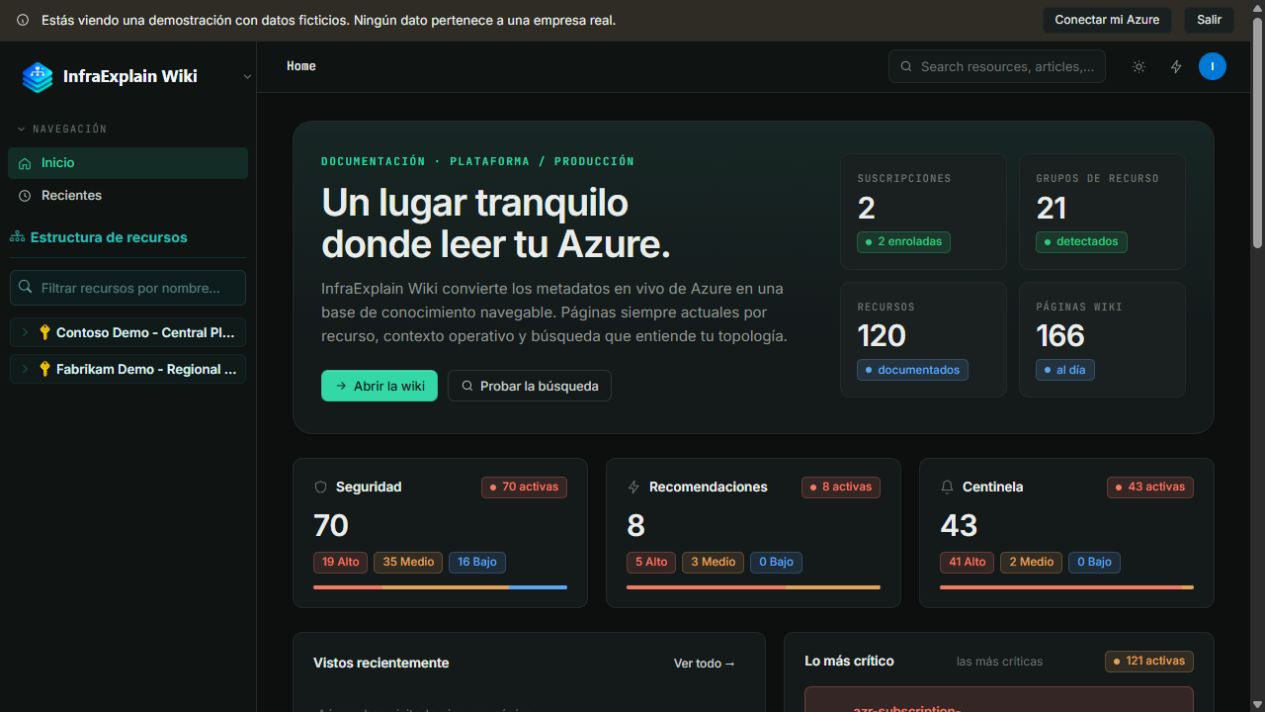 Product view with sample data
Explore your subscriptions, browse resources and read their documentation. Add search and AI assistance so every team can find its starting point.
Bring the resource purpose, owners, dependencies and documented procedures together. One reference point for your organization, collaborators or client teams.
See Wiki operational context →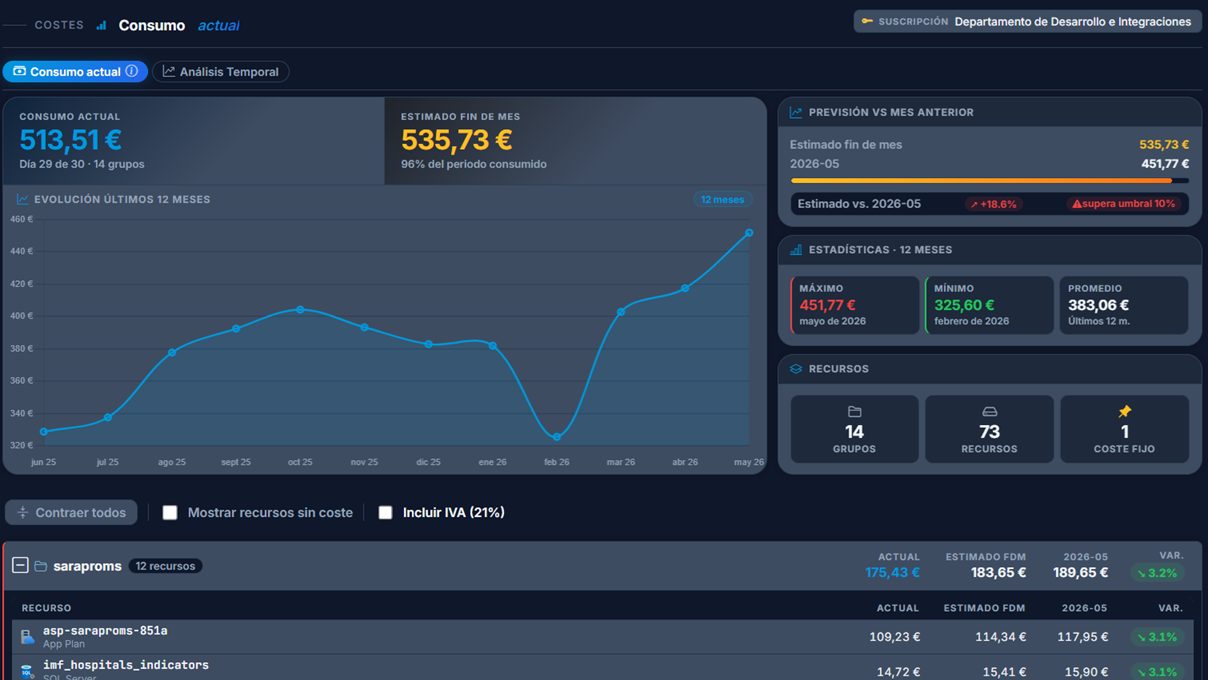 InfraExplain Control · cost view
Oversee costs, security, recommendations, audit and resources across your subscriptions. Identify what needs attention and consult the environment documentation with Wiki.
Start with what you need. Each module has its own space.
Automatic documentation, scheduled synchronization, search and an AI assistant. So your team can look up and understand Azure.
More about Wiki →Costs, security, recommendations, audit and resources. Oversee your subscriptions and your clients’ subscriptions in one environment.
Explore Control →Managing Azure for multiple clients? Combine Control’s visibility with Wiki’s documentation to share context with each team.
Enter as a guest and see what your team will use. When you are ready to work with your environment, sign in with your Microsoft account. Wiki and Control share the same subscription.
Yes. Guest mode lets you explore two subscriptions with demonstration data, without registering or connecting your infrastructure. You can choose Wiki or Control.
Set the synchronization frequency and schedule to reflect changes in your Azure. You can also sync individual pages whenever you need.
For organizations and professionals who need to consult and share Azure knowledge: IT departments, consultancies and teams managing their own or their clients’ environments.
Wiki focuses on documenting and understanding infrastructure. Control brings together costs, security, recommendations, audit and resources. You can try both from this page.
Wiki lets you assign access to documentation within the organization using administrator, contributor or reader roles. This access is independent of permissions on Azure resources.
In Wiki, Zure uses the context and documentation of the page you are viewing to help you understand it. Owners, contacts and procedures should be reviewed and completed with the team’s knowledge.
No. They share the same InfraExplain subscription. Available features and limits depend on the plan; see the pricing page for details.
Start with the demo. No registration and no need to connect your infrastructure.